Taxes included.
(Scroll down to download for free)
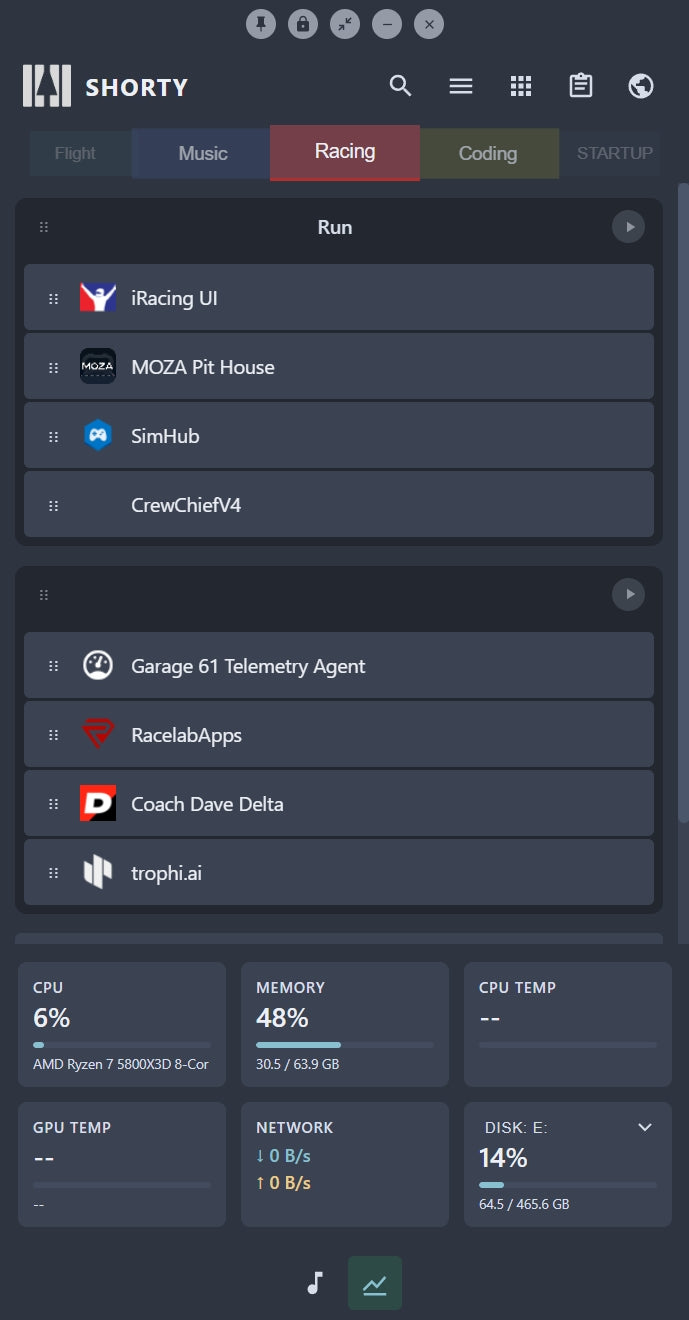
You've got the tools. You've got the know-how. But launching them every time you start work? That's a waste of brain cycles. Shorty is your launch pad — organise your apps, files, and tools into logical groups, then fire them all up with a single click. No more alt-tabbing through a mess of shortcuts or hunting through folders.
Free Download Link Below
For Flight Sim Pilots
MSFS and X-Plane pilots spend half their time launching stuff before they even touch the yoke. Your sim, your control software, your nav tools, your stream, your hardware utilities — Shorty lets you group them by mission type and launch the whole stack at once, with optional delays so everything starts in the right order. Plus, live telemetry overlay pulls altitude, speed, fuel, and weather straight into your widget panel so you've got mission-critical data without tabbing out.
For Streamers & Content Creators
OBS, chat overlays, browser panels, capture software, alerts — you need them in a specific sequence, and you need them fast. Shorty organises your entire streaming stack into one tab. Launch everything in order, pin the app window to always stay visible, or tuck it into the system tray. The built-in web panel lets you monitor chat or cues without switching windows.
For Power Users & Developers
Every project is a different tool stack. Shorty lets you create tabs by project, workflow, or client. Organise apps, docs, and utilities however makes sense. Global hotkeys trigger your entire setup from anywhere. System widgets show CPU, GPU, temps, and disk usage, so you catch performance issues before they wreck your deadline.
What You Get
-
Smart Organisation: Tab-based shortcuts organised by category, workflow, or project
-
One-Click Launch: Trigger multiple apps at once with optional delays between them
-
Live Data: Flight sim telemetry, system monitors (CPU, GPU, temps, disk, network), all in compact widgets
-
Always Accessible: Global hotkeys, system tray mode, stay on top window locking
-
Built-In Browser: Web panel for quick lookups or multi-monitor setups
-
Your Style: Multiple colour themes and a compact interface that doesn't hog screen real estate
-
Free to Try: Download the free trial, unlock extra features with a one-time fee
System Requirements
- Windows 10 or 11
- Microsoft Flight Simulator (optional, for Data Panel features)
- LibreHardwareMonitor (optional, for temperature readings)
Free download | stable — always the newest version:
(limited features, but fully functional until the license is purchased)
-
Installer (recommended — installs + auto-updates)
-
Portable (no install, just unzip & run):
Stop wasting time clicking around. Get Shorty today and launch smarter, not harder.
This app is in active development. Fully functional but with some experimental features. Join our Discord for support and updates.